Start with a clear workspace.
Save your work and close prohibited applications yourself. Preflight explains what is still running. Background-only browser helpers with no open window are shown separately on Windows.
 ESTON COLLEGEExam Guard Browser
A CLEAR WORKSPACE. A FAIR EXAM.
Exam Guard Browser (EGB) gives EC Quiz Player a dedicated desktop workspace, checks for prohibited applications, and helps instructors respond to interruptions.
Version 1.0.1 · Windows x64 · Portable · No installer
Eston College Google account required (@estoncollege.ca)
For EC Quiz Player exams. Connect to your instructor’s quiz at ecquizplayer.reginaapps.ca. The instructor selects EGB mode. On first run, activate the app using a code emailed to your college address; no fingerprint approval is required. Windows x64 is available; macOS is not available yet.
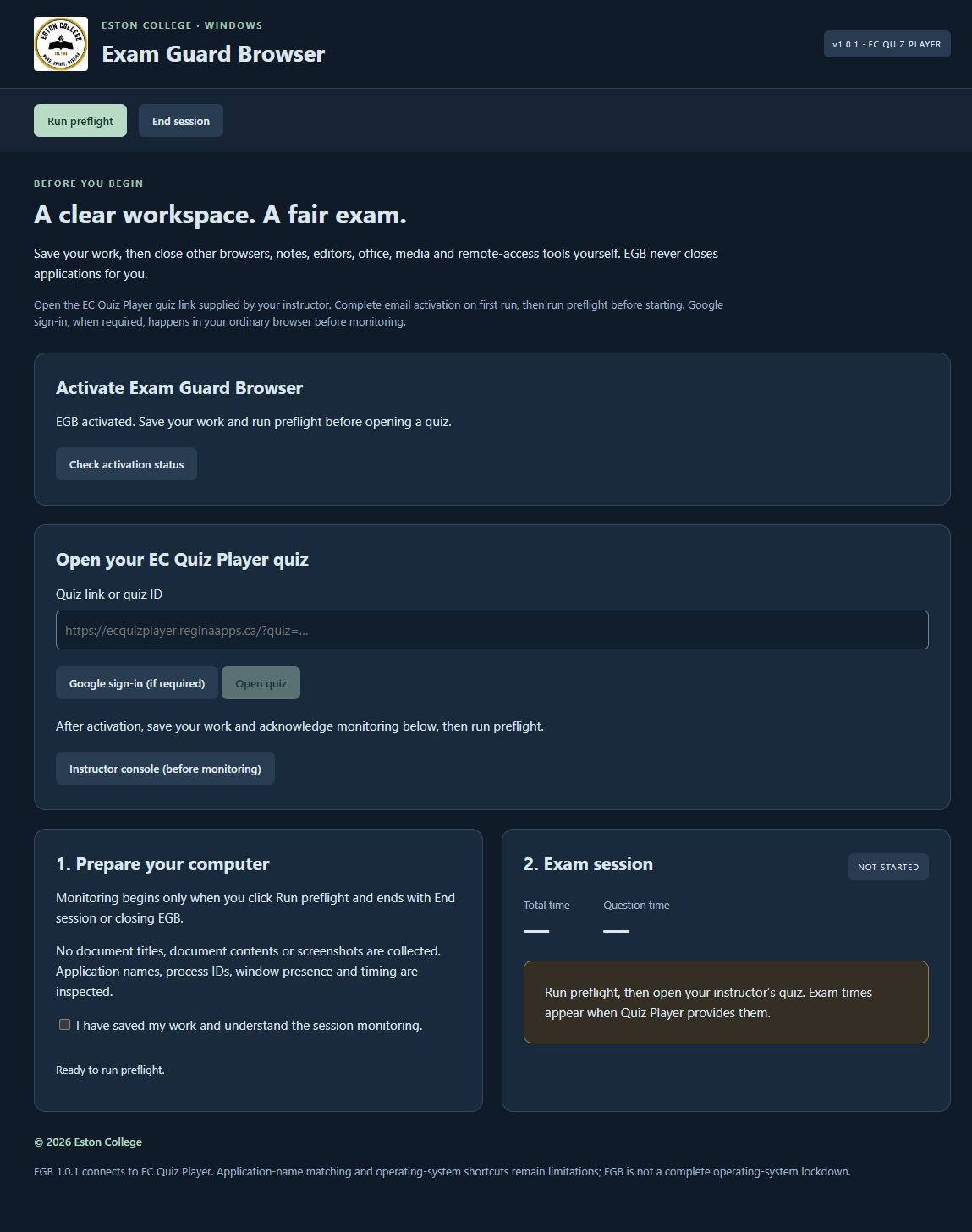
Actual application screenshot · synthetic testing only
Save your work and close prohibited applications yourself. Preflight explains what is still running. Background-only browser helpers with no open window are shown separately on Windows.
Other websites, quiz-page links, clipboard actions and browser shortcuts are blocked in the exam view. Question navigation follows the instructor’s free or sequential setting.
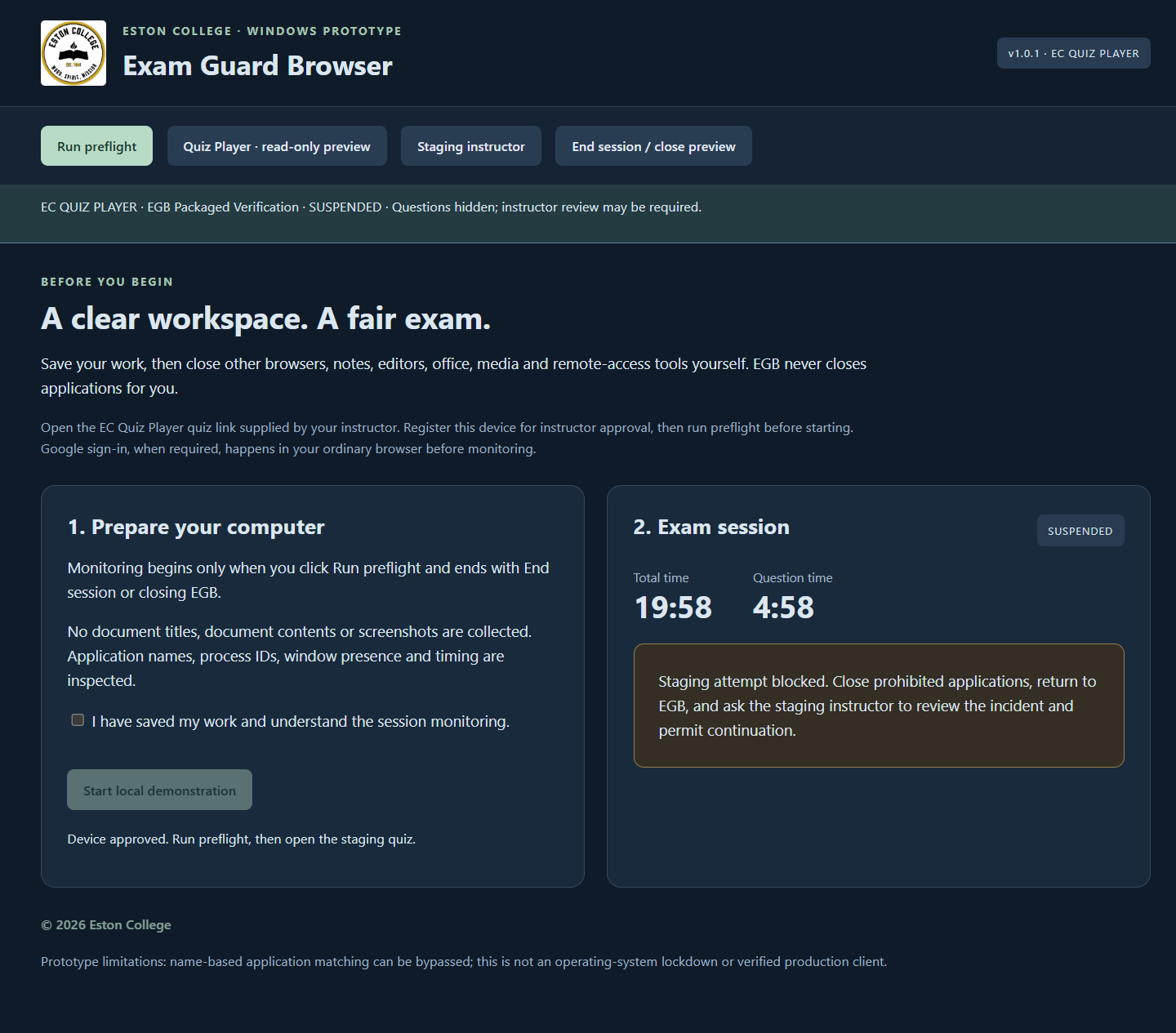
A prohibited application or foreground escape hides questions and suspends the attempt. Both exam timers pause; saved answers remain. Continuation requires instructor approval.
BEFORE YOUR FIRST SESSION
Click Sign in to download and use your @estoncollege.ca Google account. Save the Windows portable executable to a local folder and open it. Node.js, Electron and an application installer are not required. Close older EGB copies first; opening a second copy of 1.0.1 returns you to the existing window.
This release is unsigned. Follow your institution’s software approval process; contact support if Windows or your organization blocks it. Do not disable endpoint protection.
On first run, enter your @estoncollege.ca email in EGB, click Email activation code, and enter the eight-digit code. It works once and expires after 15 minutes. Initial activation lasts one year (365 days); renewal requires instructor approval after you verify a fresh code. Then save your work, read the monitoring notice, and tick the acknowledgment under Prepare your computer. Click Run preflight. Close the listed blocking applications and wait for the status to update.
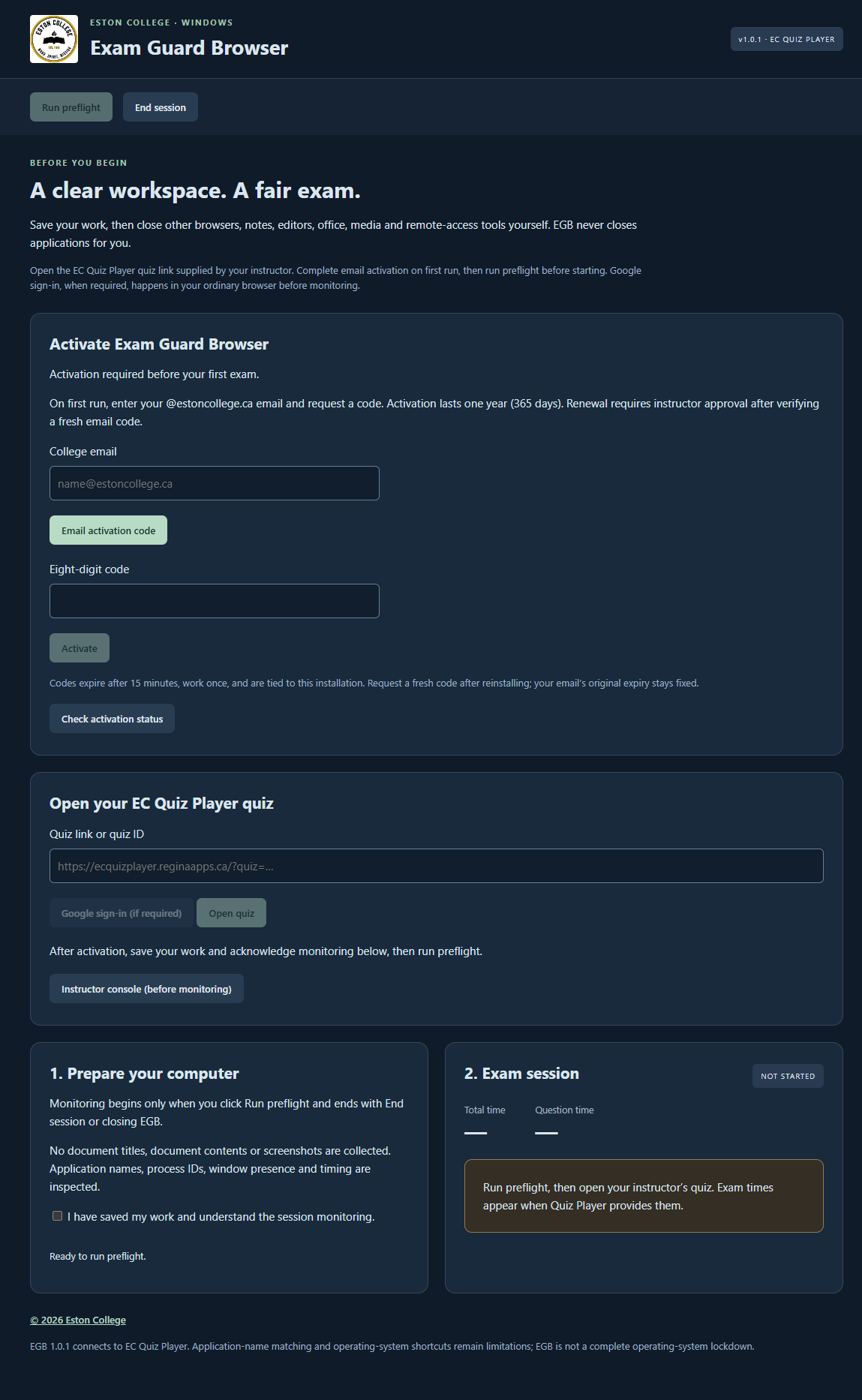
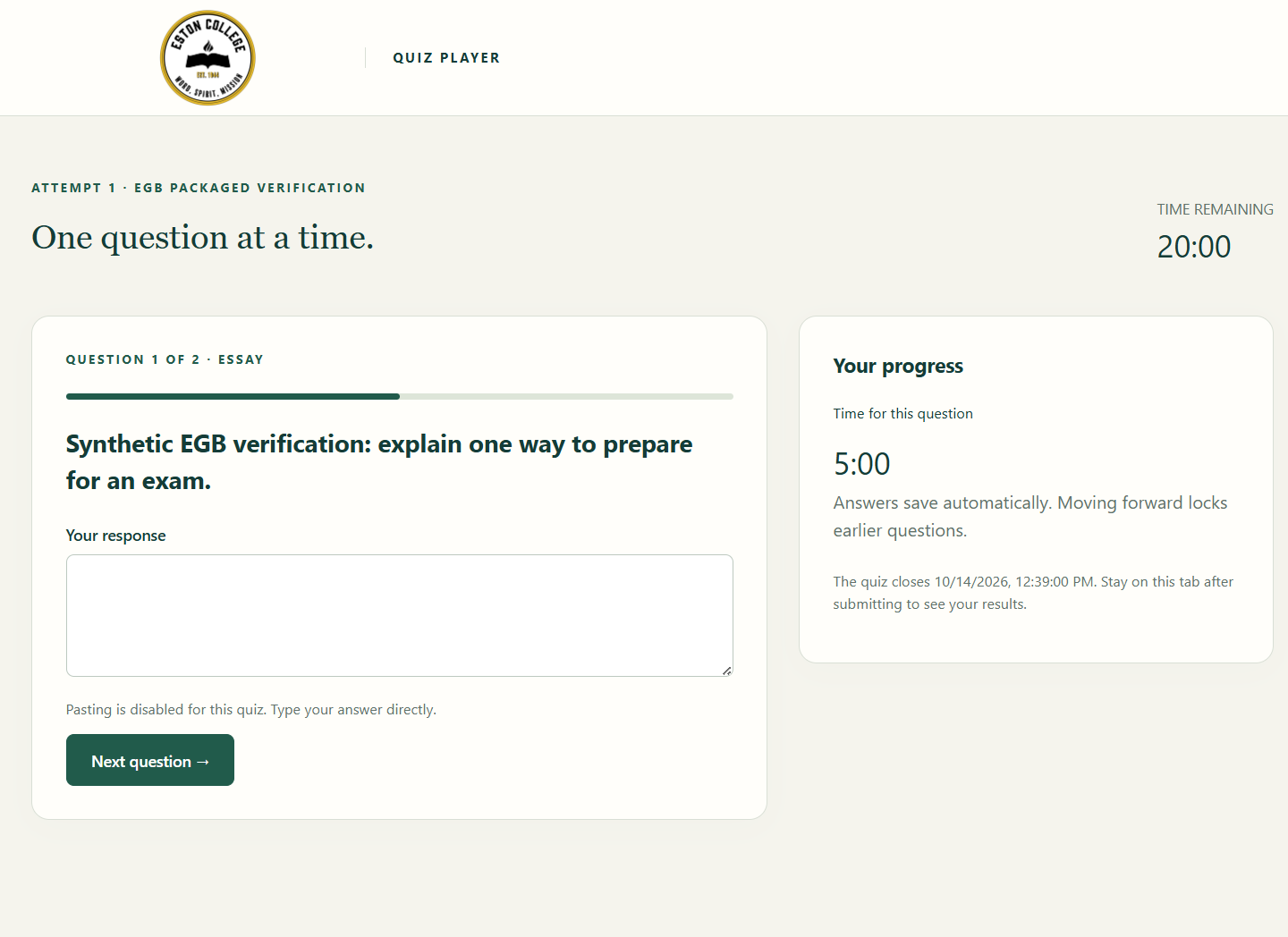
Paste your instructor’s EC Quiz Player quiz link into EGB. The app activates the installation automatically after you verify its emailed code. No device registration or fingerprint sharing step is needed. Use your EC Quiztaker ID and individual password if required. For Google-required quizzes, external sign-in and one-time transfer are implemented; a real college-account acceptance test is still pending. Read and acknowledge the exam rules before starting.
If a prohibited application opens or you switch away, questions disappear, both exam timers pause, and the instructor receives an event. Close the application within 10 seconds, return to EGB, and wait. The instructor decides whether to allow continuation or terminate the attempt.
CLEAR EXPECTATIONS
EGB checks application names, process identifiers, window presence and foreground application changes. The Quiz Player server records the authenticated student identity, events, timestamps and interruption durations for instructor review.
Monitoring starts when you run preflight and stops when you end the session, close EGB, or the connected attempt ends.
Exam monitoring does not collect document titles, document contents or screenshots. Screenshots on this page show synthetic test sessions only.
EGB is not a complete operating-system lockdown. OS-reserved shortcuts, modified clients, other devices and process-name evasion remain limitations. Accessibility tools and approved resources require instructor/IT review before use.
RELEASE NOTES
October 14, 2026
1.0.1 is the current production release. macOS is not available yet.
QUESTIONS, ANSWERED
The instructor chooses Exam Guard Browser as the quiz security mode in EC Quiz Player and opens the authenticated EGB instructor console. Students activate their installation by email; instructors approve annual renewals in the Activations and renewal section. Normal-browser and SEB quizzes retain their existing modes. Webcam and gamification quizzes are not supported in EGB 1.0.1. Complete a practice session and confirm institutional suitability before a graded exam.
An Eston College Google Workspace account (@estoncollege.ca) is required. The server verifies Google’s signature, account domain and verified email before allowing the download. Direct executable URLs are blocked. Download access lasts 30 minutes; the public guide remains available to everyone.
Enter your @estoncollege.ca email in EGB and request an eight-digit activation code. Codes expire after 15 minutes, work once, and are bound to the requesting installation. Five incorrect entries lock that request; resends have a 60-second cooldown and rate limits. Initial activation lasts 365 days. Reinstallation or plus-addressing does not restart that email’s year. After expiry, verify a fresh code and ask your instructor to approve renewal. An already-open exam is not interrupted solely by activation expiry, but opening a new session requires valid activation.
No. The portable download includes the Windows app and native monitor. Exams connect over HTTPS to the hosted EC Quiz Player server. No PHP server, Node.js or application installation is required on the student computer.
EGB requests ordinary user execution and does not install a service. Your computer’s security policy can still restrict running software. Stopping some prohibited background services may require IT assistance.
Windows may retain browser helpers. Confirmed zero-window browser processes are shown as background-only notices and can remain running. Minimized browser windows still count as open. Remote-access and other background tools can remain prohibited even without windows.
Ten seconds to close the prohibited application. Questions are hidden and both exam timers pause immediately on detection. The instructor must permit continuation; closing the application never resumes the attempt by itself.
No. Saved answers remain and exam timer balances freeze, but the availability deadline stays fixed. The default pause allowance is three interruptions and 120 seconds total, including instructor waiting. Additional pause allowance requires an audited instructor decision.
Answering is blocked and questions are concealed. The server suspends an attempt when its four-second monitoring lease expires, with regular independent watchdog checks. Recovery on the same approved device remains suspended until instructor review.
Yes, when your instructor chooses free navigation. Sequential quizzes move forward only. EGB blocks browser navigation away from the quiz; it does not override the instructor’s question-navigation choice.
Approved exceptions are part of the application policy. Arrange necessary tools with your instructor/IT before the exam. The shortcut filter and input methods still require accessibility testing; do not discover compatibility problems during a graded assessment.
Downloads can pause when hosting usage approaches its allowance or usage monitoring is unavailable. Try again later or contact support. This does not change an existing activation or an exam session.
A macOS helper source exists, but a Mac build has not been compiled, signed or device-tested for this release. Only Windows x64 is offered.
The automatic installation key is encrypted using Windows secure storage in your user profile. EGB’s profile persists after the portable executable exits, so it is not a leave-no-trace application. Saved quiz answers and instructor incidents are stored by EC Quiz Player. The server keeps a keyed identifier derived from your college email, its expiry and an activation/renewal audit. It does not retain your activation email address or an encrypted copy. Your address is used temporarily to send a code; the email provider processes the delivery and may retain its own records. Codes are stored as keyed hashes; email delivery uses the existing college Quiz Player mail service. Activation confirms access to an email account, not an unmodified application.
WE’RE HERE TO HELP
Tell us your EGB version, Windows version and the error you see. Do not email passwords, quiz questions, student answers or device private keys.
support@ecexamguardbrowser.reginaapps.ca ↗During an exam, contact your instructor first so they can review your attempt.